
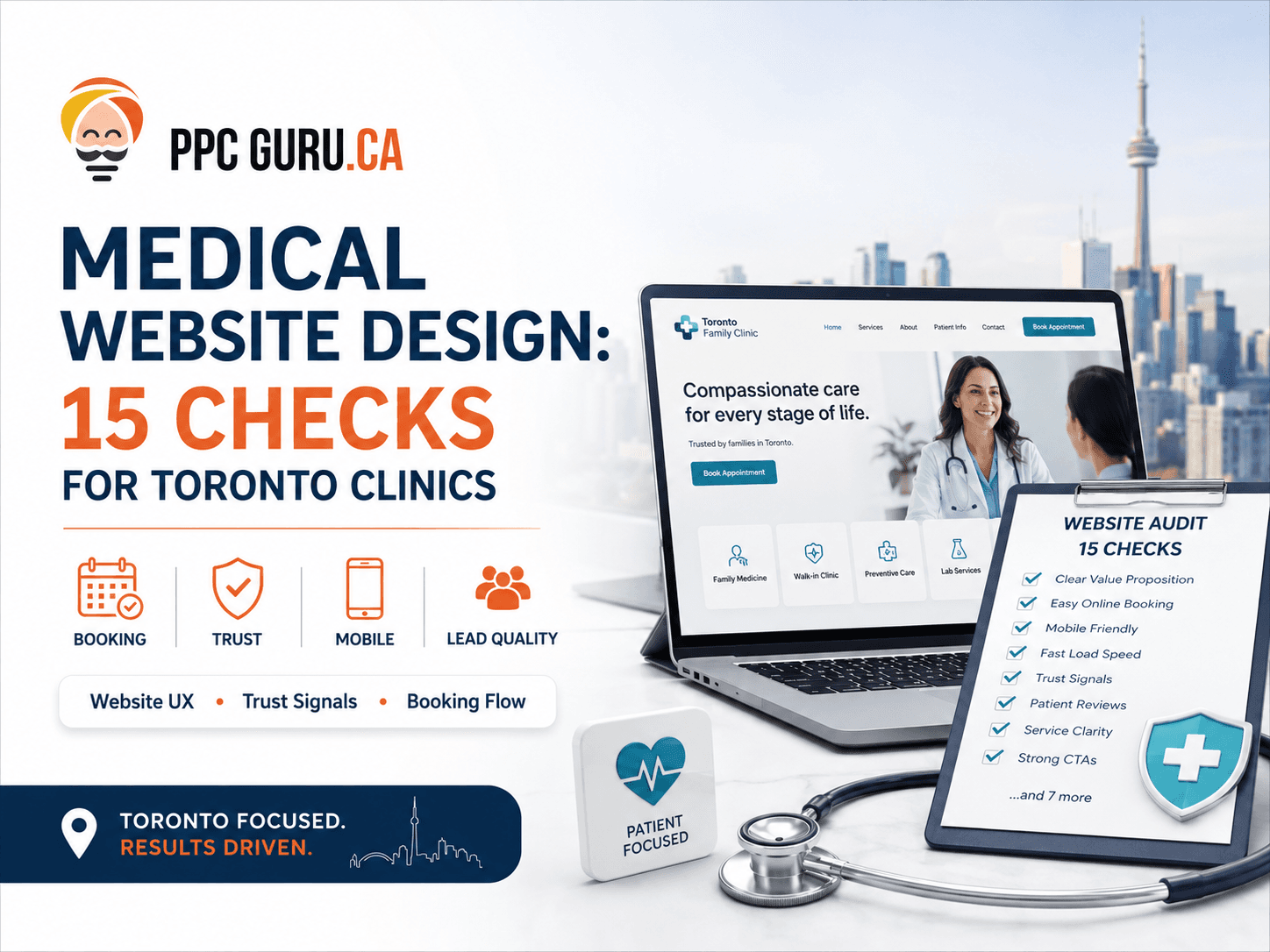
Medical website design for Toronto clinics should be judged by one practical outcome: can the right patient move from search to a clear, safe booking step? PPC Guru created this medical website design checklist to help clinic owners test that journey across five gates—Find, Understand, Trust, Act and Confirm—before investing in a redesign, SEO or Google Ads.
A patient usually makes a practical decision before any clinical decision: “Is this clinic relevant to me? Can I trust what I am reading? What should I do next?”
If those answers are hard to find, the patient may leave even when the clinic itself is an excellent fit. A useful clinic website helps the right person find the right service, understand the next step, judge credibility, contact the clinic safely and receive a clear confirmation. PPC Guru's medical website and landing-page design starts with that path—not a beauty contest.
This medical website design checklist shows Toronto and GTA clinic teams where that path can break before they pay for more traffic or a full rebuild.
About this guide: The PPC Guru Editorial Team developed the Patient Booking Path Audit by combining a current Toronto search-results review with 15 observable website checks and primary Ontario, accessibility, privacy and search-platform sources. It was last materially reviewed on August 26, 2026. It provides general marketing and design information; a qualified healthcare/privacy review is still required before publication.
Start here: a five-minute patient-path test#
If time is limited, test one priority service on a phone:
- Search for the service and open the exact page a prospective patient would see.
- Complete the general enquiry or booking path using test—not patient—information.
- Confirm who receives the request, what the visitor sees next and what happens when the usual staff member is away.
If any of those steps fails, repair it before increasing SEO or advertising traffic.
Contents#
- The five-gate audit
- Find and understand
- Trust and privacy
- Forms and confirmation
- Scorecard
- Repair, landing page or redesign
- Questions to ask an agency
- Frequently asked questions
Key takeaways#
- A medical website design checklist should test the complete patient path, not only colours, layouts and page speed.
- A polished clinic website can still lose suitable patients through unclear services, weak trust signals, confusing forms or poor follow-up.
- Audit five gates: Find, Understand, Trust, Act and Confirm.
- Fix critical privacy, booking and routing failures before increasing traffic.
- “PHIPA compliant” is not a design badge. Compliance depends on the clinic, its vendors, its data flows and its safeguards, and may require qualified legal or privacy review.
- Accessibility rules depend on the organization, but accessible design is useful to patients regardless of whether a specific legal threshold applies.
- Measure meaningful outcomes, such as qualified enquiries and confirmed appointments, without sending personal or sensitive information to analytics platforms.
The PPC Guru Patient Booking Path Audit#
This medical website design checklist organizes 15 checks around the five decisions a prospective patient must make. It is a planning tool, not a compliance certificate, Google score or performance guarantee.
Use this table as a first pass. Then score each item using the method later in the guide.
| Gate | What the patient needs | Three checks |
|---|---|---|
| 1. Find | Reach the correct page and recognize its relevance | Clear service-and-location focus; strong search/ad-to-page match; usable mobile performance |
| 2. Understand | Know what the clinic offers and what happens next | Plain-language service information; suitability and urgent-care boundaries; fees, referrals and next-step clarity |
| 3. Trust | Verify the people, claims and handling of their information | Accurate practitioner details; responsible advertising; accessible and privacy-aware experience |
| 4. Act | Contact the clinic without confusion or unnecessary exposure | Clear contact choices; minimum-necessary form fields; usable forms with helpful errors |
| 5. Confirm | Know the request arrived and what to expect | Useful confirmation; accountable routing and fallback; privacy-safe outcome measurement |
The sequence matters. A faster form cannot rescue a page that describes the wrong service. More traffic cannot compensate for a booking request that disappears into an unmonitored inbox.
Work through the medical website design checklist in sequence. The first broken gate usually deserves attention before a later cosmetic improvement.
Gate 1: Can the right patient find the right page?#
1. Give every important service a clear home#
A visitor should not have to decode a general “Treatments” page to discover whether the clinic offers the care they need. In medical website design, each priority service deserves a focused page when there is enough distinct information to help someone decide.
At minimum, explain:
- what the service is;
- who may find it relevant;
- what the first appointment or enquiry involves;
- which locations offer it; and
- the appropriate next step.
Avoid producing dozens of near-duplicate service-and-city pages. A strong Toronto page and a genuinely useful location page are more defensible than thin pages that merely swap “Toronto” for “North York” or “Mississauga.” The page structure should reflect how the clinic actually operates.
For a multi-location clinic, verify the details patients use to choose a location: which services are actually available, current hours, virtual versus in-person options, supported languages, parking or transit information and physical-access details where useful. Keep those facts consistent with the clinic's Google and Bing business profiles. Local detail should help a patient—not manufacture another city page.
2. Match the promise that brought the visitor there#
Read the page as if you had arrived from Google. Does the visible heading match the search result? If the page is used for advertising, does it match the ad's service, location and offer?
For example, an ad about physiotherapy assessment should not land on a generic multidisciplinary-clinic homepage. That mismatch forces the visitor to search again and makes measurement harder.
Organic search and paid campaigns may need different landing-page emphasis, but the facts must stay consistent. If the website, ad and Google Business Profile list different hours, services or locations, fix the source of truth instead of adding more copy.
3. Test performance on a real phone, not only a desktop preview#
Open the page on an ordinary mobile connection. Can you read it without zooming? Do menus, maps, consent notices or chat widgets cover the booking button? Can a user tap the phone number and complete the form with one hand?
Use field data as a diagnostic. Google's current “good” Core Web Vitals thresholds are:
- Largest Contentful Paint at or below 2.5 seconds;
- Interaction to Next Paint at or below 200 milliseconds; and
- Cumulative Layout Shift at or below 0.1,
measured at the 75th percentile. These numbers do not guarantee appointments or rankings. They help identify performance and interaction problems that deserve investigation.
Structured data can also clarify entities such as the organization, location and visible service information. It must match what a patient can see. Google explicitly says that valid markup does not guarantee a rich result.
Gate 2: Can the patient understand the service and next step?#
4. Write for a concerned person, not an internal department#
Medical website design often goes wrong when the page mirrors the clinic's internal vocabulary. Good medical website design translates internal vocabulary without distorting it. A patient may not know the name of a program, device or assessment. Start with the question they are trying to answer, then introduce the correct clinical term.
Keep the explanation accurate. Short sentences and descriptive headings help, but “simple” must not become vague. Have the appropriate practitioner review clinical statements, eligibility information and outcome language before publication.
5. Explain the first step without pretending to diagnose#
Tell the visitor what the clinic can reasonably say before an assessment. For example: whether a referral is commonly required, how an initial consultation is requested, what information the clinic may need and whether the service is available virtually or at a specific location.
Do not imply that a web page can establish suitability for every patient. Clear boundaries build more trust than an overconfident promise.
6. Make fees, coverage, referrals and urgency less mysterious#
A clinic does not need to publish a universal price when the service varies. It should explain the factors that affect the patient's next step and tell them where to confirm current information.
Useful answers may include:
- whether the clinic bills directly or provides receipts, if applicable;
- whether a referral is required for this clinic or service;
- whether the displayed fee is current, estimated or subject to assessment;
- what the booking form is—and is not—for; and
- what a person should do if the matter may be urgent.
Emergency wording must be appropriate to the clinic and reviewed by a qualified person. A general contact form should not look like a monitored emergency channel if it is not one.
Gate 3: Can the patient verify the clinic and trust the experience?#
Responsible medical website design makes evidence, identity and limits easier to see. Trust is not created by adding more badges.
7. Make practitioner identity easy to verify#
A strong profile does more than show a headshot and a friendly paragraph. It accurately identifies the practitioner, their relevant credentials, role, languages where applicable, professional focus and location or availability.
Check names and designations against authoritative records. Remove former team members promptly. If a registration link helps patients verify credentials, use it. Do not inflate scope or imply a specialty the practitioner cannot claim.
8. Treat every page as advertising#
For Ontario physicians and physician-led practices, the College of Physicians and Surgeons of Ontario advertising policy includes websites within advertising. It requires information to be accurate and not misleading and places limits on matters such as testimonials, comparisons and guaranteed outcomes. CPSO's advertising advice also explains that missing context can make a statement misleading.
That policy does not automatically govern every regulated health professional. Dentists, physiotherapists, psychotherapists and others have their own colleges and rules. Identify which professionals and entities are represented on the site, then route claims to the right reviewer.
Watch for phrases such as “the best,” “leading,” “pain-free,” “permanent” or “guaranteed.” A designer may see persuasive copy; a regulator may see a claim that needs evidence, qualification or removal.
9. Make accessibility part of the build, not a launch-week plugin#
In Ontario, public-sector organizations and businesses or nonprofits with 50 or more employees have public-website requirements under the stated AODA/IASR scope. The province's website accessibility guidance refers to WCAG 2.0 Level AA for qualifying content, with exceptions. Smaller organizations are encouraged to make their sites accessible even where that particular web requirement does not apply.
For a new build, WCAG 2.2 is the more current W3C target. Practical testing should cover keyboard navigation, visible focus, text contrast, headings, labels, error messages, zoom, captions and useful alternative text. Automated scans help, but they do not replace human testing.
10. Map information before calling the site “secure” or “compliant”#
List what the website collects, where it goes, who can access it, how long it is retained and which vendors process it. Include contact forms, booking platforms, chat tools, call tracking, email, analytics, payment tools and backups.
Ontario's privacy regulator notes that health information custodians must take reasonable steps to protect personal health information. A padlock icon and HTTPS are important, but they do not answer the full set of organizational and technical questions.
This is why PPC Guru would not label a site “PHIPA compliant” after a visual review. The clinic and qualified reviewers must assess the complete data flow, contracts, policies, safeguards and actual practices.
Gate 4: Can the patient take action safely and successfully?#
11. Ask only for information needed for the next step#
The shortest form is not always best, and the longest form is not automatically more qualifying. Medical website design should reduce unnecessary effort and unnecessary data collection at the same time. Start with the operational decision: what does the team need to route the request and respond appropriately?
For a general appointment request, that may be a name, safe contact method, broad service interest, preferred location and availability. The exact fields depend on the clinic and workflow. If detailed medical information is genuinely required, a general marketing form may not be the right system for collecting it.
12. Make the form understandable when something goes wrong#
Every field needs a visible label. Required fields should be identified before submission. Error messages should explain what needs attention and move keyboard focus to a useful place. A patient should not have to re-enter the entire form because one format was rejected.
Test more than the happy path:
- missing and incorrectly formatted fields;
- keyboard-only completion;
- screen zoom and small screens;
- expired sessions or weak connections;
- duplicate submissions; and
- what happens after a vendor or email service fails.
Provide another appropriate contact route when possible, but do not place sensitive information into an unprotected fallback channel.
13. Keep sensitive details out of general analytics and URLs#
Do not put a person's condition, email address, phone number or other sensitive value into a URL, page title, event name or analytics parameter. URLs can appear in browser history, logs, referral data and third-party tools.
Google Analytics policies prohibit sending data Google could use or recognize as personally identifiable information. Product compliance is only one layer. The clinic must also evaluate Canadian privacy obligations, consent, vendor settings and whether a tool should run on a particular patient-facing step at all.
What not to collect in a general website form#
Unless the clinic has a documented need, an appropriate system and qualified approval, avoid asking a public contact form for:
- a detailed medical history;
- diagnosis or medication lists;
- health card, government ID or insurance-document images;
- payment-card details;
- unstructured uploads containing unknown sensitive information; or
- long descriptions of symptoms when a broad service category will route the enquiry.
This is not a universal legal list. It is a prompt for data minimization: if the team cannot explain why a field is necessary, where its data goes and who needs it, reconsider the field.
Gate 5: Does the request become a reliable next step?#
14. Confirm receipt without exposing information#
After submission, tell the visitor whether the request was received, when the clinic typically responds and what they should do if they do not hear back. Do not repeat sensitive form details on a public-looking confirmation page or in an insecure message.
An automated response should not imply that an appointment is confirmed when it is only a request. “We received your request” and “Your appointment is booked” are operationally different statements.
15. Give every enquiry an owner, fallback and measurable outcome#
Send a test request. Who receives it? What happens when that person is away? Is there a backup, a response target and a simple status such as unsuitable, contacted, scheduled or no response?
The website team cannot improve lead quality if the only recorded event is form_submit. Connect marketing and front-desk feedback at an appropriate level so the clinic can compare:
- landing-page visits;
- booking starts and successful submissions;
- reachable and suitable enquiries;
- confirmed appointments; and
- reasons an enquiry could not proceed.
Use aggregate identifiers and approved systems. Do not send a patient's name, condition, appointment reason or other personal detail into advertising and analytics platforms merely to make a dashboard more interesting.
How to score this medical website design checklist#
Score every check:
- 0 — broken or absent: the clinic cannot demonstrate that the check works;
- 1 — partly working: present, but inconsistent, untested or dependent on one person; or
- 2 — working and verified: documented, tested and owned.
Fifteen checks produce a maximum of 30 points. The total helps with prioritization, but it is not a benchmark, certification or Google score.
More importantly, do not average away a critical failure. A booking form that sends personal information to the wrong inbox remains urgent even if the site scores well on typography and page speed. Fix the first serious break in the patient path, then work forward.
Printable scorecard: how to use the 15-check audit#
This medical website design checklist is most useful when marketing, front-desk and technical owners score it together. Enter 0, 1 or 2 for every row, name an owner and record the evidence—not just an opinion.
| # | Gate | Check | Score | Evidence or next action | Owner |
|---|---|---|---|---|---|
| 1 | Find | Priority services have distinct, useful pages | |||
| 2 | Find | Search results and ads match their landing pages | |||
| 3 | Find | The path works on a real mobile connection | |||
| 4 | Understand | Services are explained in patient language | |||
| 5 | Understand | Suitability and the first step are clear | |||
| 6 | Understand | Fees, referrals, coverage and urgency are handled honestly | |||
| 7 | Trust | Practitioner details are accurate and verifiable | |||
| 8 | Trust | Advertising claims have the correct professional review | |||
| 9 | Trust | Navigation, content and forms are accessibility tested | |||
| 10 | Trust | Website data flows, vendors and access are mapped | |||
| 11 | Act | General forms collect only what the next step requires | |||
| 12 | Act | Forms explain and recover from errors | |||
| 13 | Act | Sensitive details stay out of URLs and general analytics | |||
| 14 | Confirm | Confirmation distinguishes a request from a booked appointment | |||
| 15 | Confirm | Every enquiry has an owner, fallback and outcome |
Print this section or copy it into the clinic's project tracker. Re-score after each material change. Do not publish a new date simply to make the article or the audit appear fresh.
An illustrative Toronto clinic audit#
Imagine a multidisciplinary clinic serving Toronto and North York. Its homepage looks modern, and paid traffic reaches a general services page. Yet the audit finds four practical problems:
- the ad names a specific assessment, but the landing page makes visitors search for it;
- practitioner profiles use inconsistent designations;
- the form asks for a detailed description before explaining how the information is handled; and
- completed requests go to one staff member with no absence fallback.
The sensible first move is not a dramatic rebrand. It is to create a clearer service path, verify professional information, review and minimize the form, and establish routing ownership. Only after testing that journey should the clinic decide whether more traffic or a broader redesign is the next investment.
This example is illustrative, not a PPC Guru healthcare case study, and it promises no performance result.
Repair, focused landing page or full redesign?#
The score is useful only if it leads to the right size of decision. Use this table before requesting proposals:
| Option | Use it when | Do not rely on it when | Evidence to request |
|---|---|---|---|
| Focused repair | A few important pages, forms, tracking events or routing rules are broken, but the platform and overall structure are sound | The CMS is unsupported, ownership is unclear or the same failure appears across most templates | Before-and-after test record, affected URLs, form-routing proof and rollback plan |
| Dedicated landing page | A priority service or campaign needs a clearer path while the main site remains usable | It would duplicate an existing service page, hide material information or create a disconnected tracking/privacy workflow | Message-to-page map, canonical/indexing decision, form destination and measurement plan |
| Full redesign | Navigation, content, templates, accessibility, integrations and maintenance are tangled enough that repeated repairs cost more than rebuilding the system | The real issue is slow follow-up, weak service-market fit or insufficient demand | URL inventory, migration plan, content owners, integration requirements, accessibility plan and acceptance tests |
| More traffic | The five gates work reliably and the clinic can respond to additional suitable enquiries | A critical privacy, trust, booking or routing failure remains | Baseline funnel, capacity, target service/location and qualified-outcome definition |
If the path is reliable but demand is limited, healthcare SEO, local visibility or a controlled advertising campaign may deserve testing. For broader context, visit PPC Guru's healthcare clinic marketing hub or read the guide to healthcare SEO costs and timelines in Toronto.
Eight questions to ask a medical website design agency#
A proposal should explain how the work will be verified, not simply list features. Ask:
- Who researches, writes and approves service and practitioner content? Identify the clinic owner and the professional reviewer rather than assuming the designer decides clinical accuracy.
- How will you map forms, booking tools, email, analytics and vendors? Ask what information moves between systems and which party owns each safeguard.
- How will you test accessibility? Look for keyboard, zoom, focus, contrast, label and error testing—not only an automated score or overlay.
- What happens to existing URLs and search visibility? The proposal should cover inventory, redirects, titles, canonical tags, internal links and the sitemap.
- How will you distinguish enquiries from confirmed appointments? Request a privacy-aware outcome model that does not send patient details to advertising platforms.
- Who owns the domain, hosting, CMS, analytics and vendor accounts? The clinic should understand access, renewal, export and termination arrangements.
- What is included after launch? Clarify monitoring, backups, security updates, form tests, content changes and response times.
- Which claims are outside the agency's authority to approve? A responsible provider should identify where legal, privacy, accessibility or profession-specific review is required.
The PPC Guru medical website design checklist can be used to compare proposals line by line. A low quote may omit content, migration, integration testing or maintenance; a high quote is not automatically more complete. Compare named deliverables, owners, acceptance tests and exclusions.
Preserve SEO and measurement during a redesign#
Before changing templates or URLs, create a launch checklist that includes:
- an inventory of indexable URLs, titles, headings, internal links and existing structured data;
- a redirect map for every removed or changed URL;
- a record of important Search Console queries and landing pages;
- a privacy-safe analytics and conversion baseline;
- tests for forms, booking links, call actions and confirmation messages;
- self-referencing canonical tags and an updated XML sitemap;
- consistent hours, locations and service details across the website and business profiles; and
- named owners for the domain, hosting, CMS, booking vendor, analytics and ongoing maintenance.
A redesign can look better while losing useful pages, breaking forms or making outcomes impossible to compare. Validate the old and new patient paths before directing all traffic to the replacement.
Frequently asked questions#
What should a medical clinic website include?#
At minimum: accurate service pages, current location and contact information, verified practitioner profiles, clear booking steps, privacy information, accessible navigation and forms, and a reliable confirmation and follow-up process. The exact pages depend on the clinic's services, professionals, locations and patient workflow.
Do clinic websites in Ontario need to be AODA accessible?#
Ontario's web accessibility requirements apply to designated public-sector organizations and businesses or nonprofits with 50 or more employees under the stated scope, with exceptions. A smaller clinic may not fall under that specific requirement, but accessible design is still good patient service. Confirm the organization's obligations with a qualified reviewer.
Can a clinic use Google Analytics?#
A clinic should not install analytics by default and assume the configuration is safe. Google prohibits sending PII, and sensitive patient data should not appear in URLs, event names or parameters. Map data flows, configure collection deliberately, assess consent and privacy obligations, and obtain qualified advice for patient-facing systems.
How much does medical website design cost in Toronto?#
There is no honest universal price. Scope changes with the number of services and locations, content development, practitioner review, accessibility work, booking or payment integrations, data migration, custom functionality and measurement requirements. Use the medical website design checklist to define what each quote includes, then ask what will be researched, written, integrated, tested and maintained—not just the number of pages.
How long does a clinic website redesign take?#
The schedule depends on content readiness, stakeholder and practitioner approvals, template or custom design, integrations, migration complexity, accessibility testing and privacy review. A credible proposal should identify dependencies and approval owners instead of promising a launch date before discovery.
Can a website designer guarantee PHIPA compliance?#
No. A designer can implement technical and content safeguards within an agreed scope, but a website checklist cannot certify the clinic's complete compliance. The assessment may involve the clinic's role, data flows, vendors, contracts, access, retention, consent, policies and actual operating practices. Ask the provider to document what it can verify, what remains the clinic's responsibility and where qualified privacy or legal review is required.
Should a clinic use a template or custom website?#
Choose based on requirements, not prestige. A well-maintained template may suit a straightforward clinic when it supports accessible navigation, accurate content, approved forms and necessary integrations. Custom development may be justified when workflows, locations, booking systems or accessibility needs cannot be handled reliably by the template. In either case, confirm ownership, updates, exports, testing and migration before signing.
How should a clinic use this medical website design checklist?#
Score one priority patient path with marketing, front-desk and technical owners present. Record evidence for every score and assign the first critical failure to a named owner. Repeat the same path after the repair. Use the checklist to compare scope and verification across proposals—not to declare a website legally compliant or guaranteed to generate appointments.
What structured data should a clinic website use?#
Use accurate schema vocabulary for the visible organization, location, practitioners and supported content where appropriate. For this article, BlogPosting and BreadcrumbList can describe the visible headline, author or publisher, publication and modification dates, representative images and site hierarchy. Follow Google's Article structured-data guidance for features the site actually targets, and validate the implementation. Structured data can help machines interpret a page; it does not guarantee a rich result, ranking or mention in an AI answer.
The next practical step#
Choose one priority service and follow its path on a phone: Google result or ad, landing page, practitioner proof, form, confirmation and front-desk outcome. Use the PPC Guru medical website design checklist to score the 15 checks. The first broken gate is your next task.
If you want an outside view, contact PPC Guru for a website and lead-path review. We will separate urgent repairs from optional redesign work and explain what should be verified by your clinical, privacy or legal reviewers.
This article provides general marketing and website-design information. It is not medical, legal, accessibility or privacy advice. Requirements vary by organization, profession, technology and data flow; obtain qualified review for your situation. No agency can guarantee rankings, appointments, AI citations or business results.